Batch image generation in ComfyUI: the Qwen-Image-2.1 and Anima workflows
Turning ComfyUI node graphs into scripts that run in batches — how the Qwen-Image-2.1 and Anima chains differ, the cfg and sampler trade-offs, quantisation choices on 8GB of VRAM, and the unglamorous engineering behind 250 posters with zero failures.
1. Why the workflow belongs in a script
What can a node graph sitting in the UI actually do? It can be pushed forward one “Queue Prompt” at a time while you watch a progress bar. I tried that for fifty images; the browser refreshed halfway and I no longer had any idea which seeds had already run. That kind of loss is not really about time — it is that the batch can never be reproduced.
So what saves the day is not the nodes themselves but moving the submission logic onto ComfyUI’s HTTP API, which buys three things: reproducible seeds, resumable runs, and parameters you can sweep in bulk. One prompt list plus one seed base is a whole batch; if it dies, rerunning only fills in what is missing.
Both chains below ran on a single RTX 4060 Laptop (8GB VRAM / 15GB RAM): Qwen-Image-2.1 for typography and photorealism, Anima for anime style. One laptop card — nobody should talk about compute here. The only thing worth talking about is engineering.
2. Qwen-Image-2.1: what the chain looks like
UNETLoader   qwen_image_2.1_int8_convrot     int8 quantised, fits in 8GB
  -> LoraLoaderModelOnly                     optional; the script ships with the uncensored LoRA attached
  -> QwenImage21Cache                        device=gpu, dtype can drop to int8/int4
CLIPLoader   qwen3vl_8b_w4a8                 type=qwen_image
  -> TextEncodeQwenImage21                   emits positive and negative, plus a latent when references are wired in
VAELoader    qwen_image_2.1_vae_bf16
EmptyLatentImage (custom canvas) or that latent (follow the reference)
  -> KSampler  euler / simple / 30 steps / cfg 1 or 4
  -> VAEDecode -> SaveImageAdvanced          PNG, sRGB, 8-bit or 16-bit
The only node in this chain you genuinely have to understand is TextEncodeQwenImage21: it does text encoding and reference injection at the same time, which is why the positive, negative and latent lines all leave from it. Once that clicks, the editing chain and the text-to-image chain are the same graph with a different latent source.
1. Write prompts as regions of the frame
This model reacts strongly to spatial description. What works is narrating the frame region by region: what the headline at the top says, what the centre subject is, what sits left and right, what goes in the footer band — then a separate sentence on lighting (key direction, fill, where the specular hits land), and one last sentence closing out overall composition and palette.
Any text you want rendered must appear in quotes with its position, weight and colour, or the model invents its own — it really wants to write something. Conversely, when you want none of that, say it flat out: end with no text, no logo, no watermark.

2. cfg=1 or cfg=4
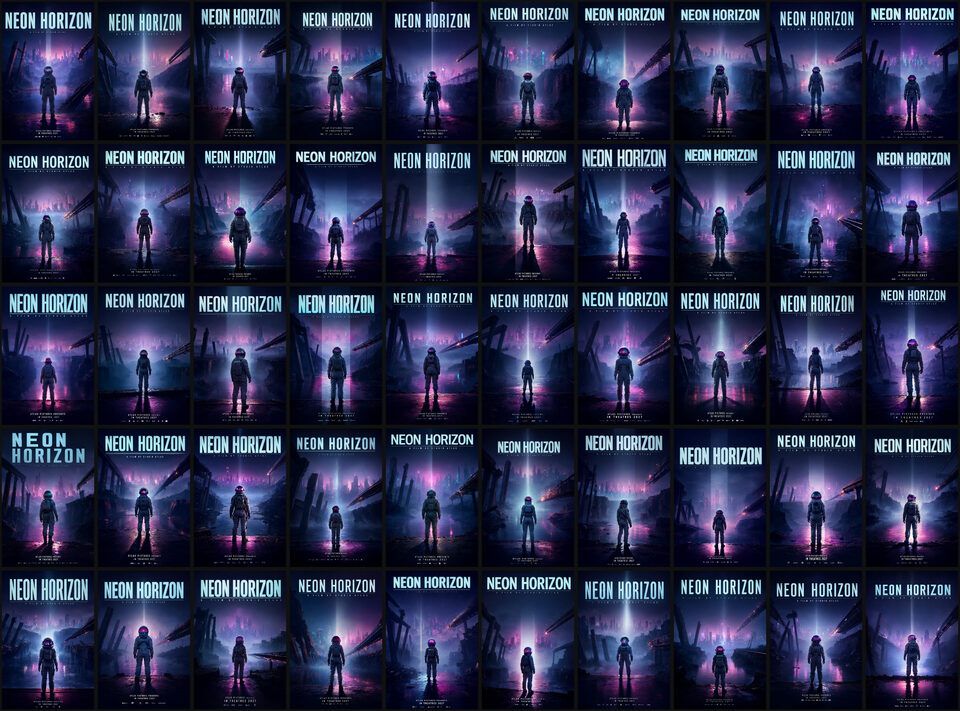
At cfg=1 the negative branch is skipped entirely, which is roughly half the compute, and it is also the officially recommended starting point. Move up to cfg=4 when you need a stronger constraint (editing, locking a layout) and pay double. Speaking from my own runs, seed diversity at cfg=1 is already wide enough to fill a whole batch:
3. The reference workflow: keep the layout, swap the content
Wire vae and images.image_1 through images.image_16 (the slots grow automatically) into TextEncodeQwenImage21 and the reference goes in. resolution sets the resize target for references — 1024 is about 1MP, 0 leaves the original alone. A switch then decides the canvas: follow the reference (for edits, since a mismatched size shifts the result) or use EmptyLatentImage (for recomposing from scratch).
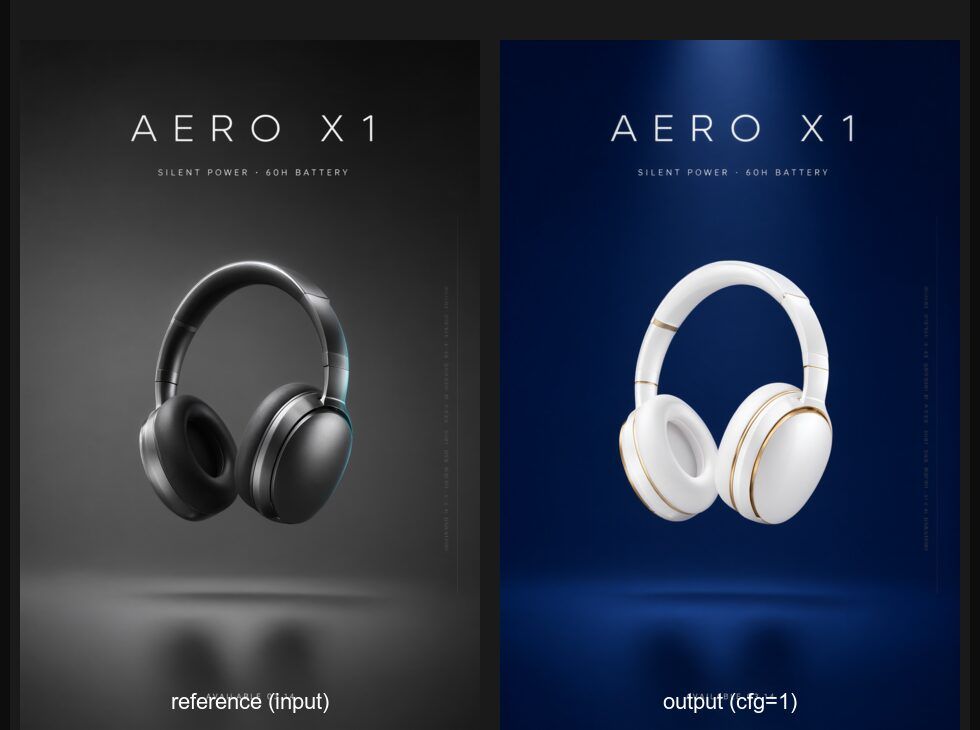
“Same skeleton, different content” is where a node graph genuinely leaves web toolboxes behind — you can run one layout through dozens of clients instead of re-explaining “move the title down a bit” every single time.
4. Anima: three places the anime chain differs
UNETLoader   anima-base-v1.0
CLIPLoader   qwen_3_06b_base       type=stable_diffusion    ← note, not qwen_image
VAELoader    qwen_image_vae
  -> CLIPTextEncode × 2            plain text encoding, none of the TextEncodeQwenImage21 machinery
KSampler     er_sde / simple / 30 steps / cfg 4
  -> VAEDecode -> SaveImageAdvanced
Three differences worth memorising:
- The CLIPLoader type —— it has to be
stable_diffusion; copying the Qwen line gets it wrong outright, and that was my most expensive mistake here - Prompts are Danbooru tags —— every positive gets the prefix
masterpiece, best quality, score_7, safe,, which is nothing like writing long sentences for Qwen - Sampler names do not match —— the
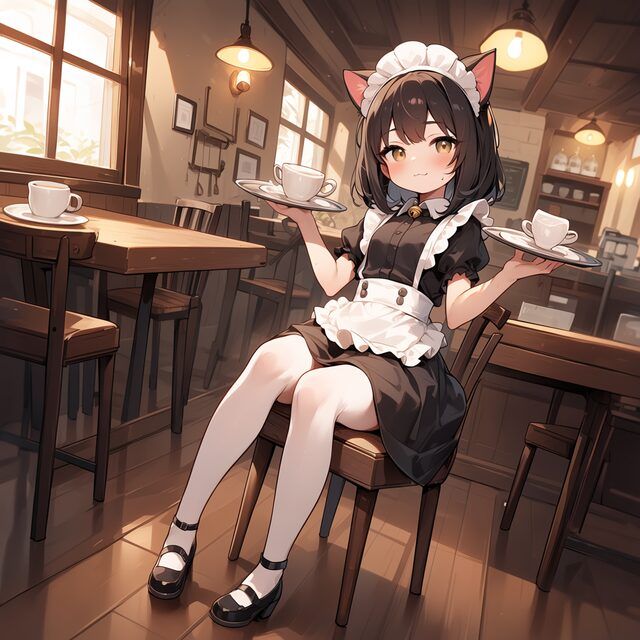
euler_ain the model README iseuler_ancestralin ComfyUI
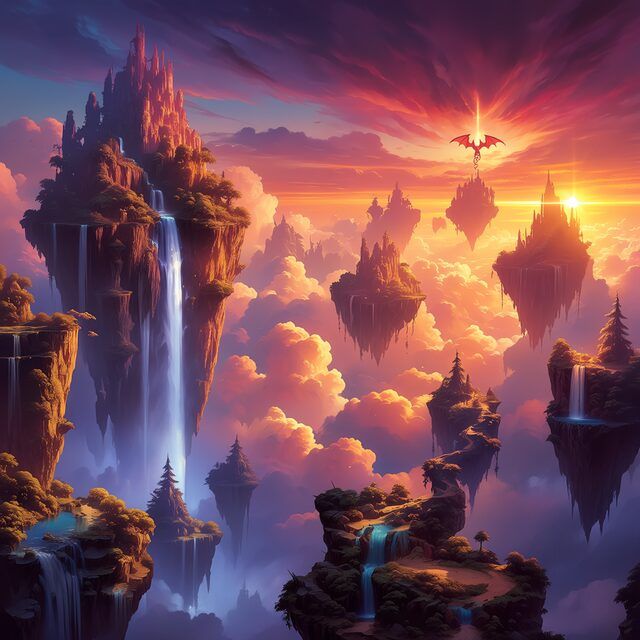
1. Samplers are only comparable with the seed locked
Comparing samplers means something only when the seed stays put (that is what --fixed-seed does). The three below share prompt, seed and cfg:
30 steps is the safe setting from the official example. Add the turbo LoRA and you can drop to cfg=1 with 10 steps: same seed, 44 seconds down to 12 — more than three times faster, and leaving that on the table would be silly.
5. The engineering half of “batch”
Rendering is half the work. The other half is “don’t lose it, don’t redo it, don’t guess”:
- Seed derivation ——
random.Random(seed_base + prompt_index × 1000003); only changing--seed-basestarts a new batch. Reordering prompts mid-run drifts every seed after that point (ask me how I know) - Resume —— each finished image appends one JSONL line recording seed, filename, seconds and the full prompt, and a rerun skips by “prompt index + seed”
- Queue depth ——
--inflightkeeps 2–3 jobs on the server so the polling round-trip never turns into dead time - Preview before committing ——
--limit 1renders one image per prompt; fixing a composition then is far cheaper than four hours later - Lock the seed for A/B —— sampler, LoRA and cfg comparisons are pure noise without it
Run like that and the result is: 250 posters at 1024x1536 (5 prompts × 50 seeds), 4h13m, 0 failures.
6. Measured timings
| Model | Size | Steps | cfg | Data |
|---|---|---|---|---|
| Qwen-Image-2.1 | 1024x1536 | 30 | 1 | 250 images / 4h13m, 60.7s per image throughput, 0 failures |
| Qwen-Image-2.1 | 1024x1536 | 30 | 1 | per-job latency incl. queueing: 65 / 115 / 130s |
| Qwen-Image-2.1 | 1024x1024 | 30 | 1 | 8 images / 5 min, about 38s per image throughput |
| Qwen-Image-2.1 | 1024x1536 | 30 | 4 | about 170s per image (from my notes, not re-measured) |
| Anima | 1024x1024 | 30 | 4 | per-job latency 44 / 84 / 92s |
| Anima | 832x1216 | 10 | 1 | 16s (turbo LoRA) |
| Anima | 1152x1536 | 30 | 4 | 120s |
Keep throughput and per-job latency apart: the larger inflight is, the longer each individual job appears to take while the whole batch finishes faster. Those 250 images ran three jobs in flight — which is why 60.7s per image and a 115s median latency are not contradictory.
7. Pitfalls that actually bit me
- The uncensored LoRA is attached by default —— for food, product or kid-safe imagery, pass
--lora ""and turn it off, or the style drifts somewhere you never asked for - 8GB is a hard ceiling —— 16-bit output stacked on
QwenImage21Cachewithdevice=gpufills it fast; when VRAM gets tight, drop--cache-dtypeto int8 or int4 before you touch the resolution - A canvas following the reference inherits its size —— a different aspect ratio has to go through the custom canvas, or the composition shifts
- The bilingual mirror trap —— hreflang is generated assuming both language versions exist; write only one and it faithfully points at a 404
8. Closing: read the licence before the parameters
The Qwen-Image family is governed by its own model cards; Anima (circlestone-labs/Anima) is licensed for non-commercial use. That matters more than any parameter in this article — however elegant the chain, if the model terms forbid commercial use then they forbid it. So a real commission means swapping the anime line for a commercially cleared model, and running photorealism and typography on the Qwen chain.
Everything else comes down to writing the prompt clearly, locking the seed, and keeping the manifest on disk. Improvising is certainly the royal road — but only if you can always get back to the seed behind the image you liked.